
How to Configure the Intersection Activity in Adobe Campaign Classic
The Intersection activity creates a target population from the records common to several inbound activities. Use it for AND-style targeting when a recipient must belong to every input population, as described in Adobe’s Intersection activity documentation.
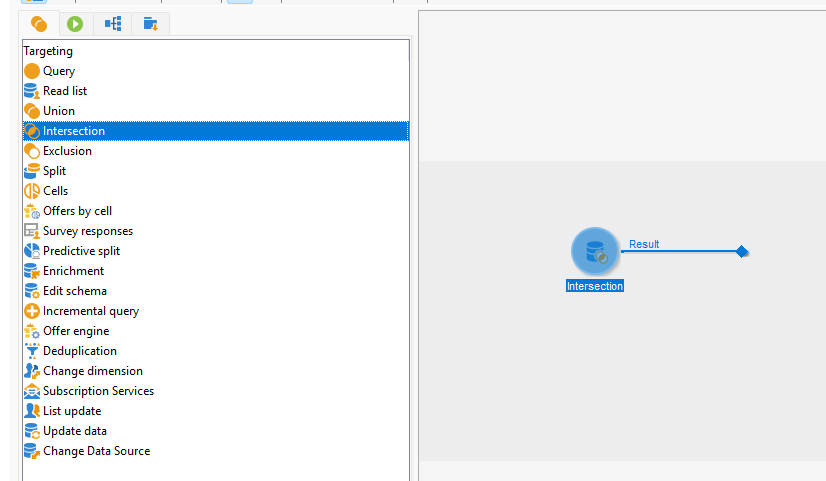
How the Intersection Activity Works
Each inbound transition supplies a population to the Intersection activity. The result contains only records shared by all connected input populations.
Example (illustrative):
- Query A returns recipients who have opted in.
- Query B returns recipients who purchased a product.
- The Intersection activity returns recipients present in both populations.
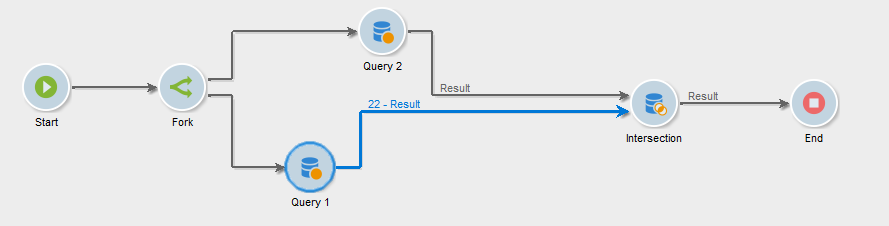
A recipient present in only one input population is excluded. If the input populations have no records in common, the output population is empty.
Intersection evaluates population overlap. If the requirement is to wait for parallel workflow branches to finish, use an AND-join activity to synchronize the branches instead.
How to Configure the Activity
- Add an Intersection activity to the workflow.
- Add or configure the upstream activities that produce the populations to compare.
- Connect each upstream activity to the Intersection activity with an inbound transition.
- Connect the Intersection activity’s outbound transition to the next workflow activity.
The result is determined by the populations delivered through the inbound transitions. Build and connect each input population to match the targeting logic you need to apply.
You can select one of a few options to perform the intersection:
- Keys only
- All shared columns
- A selection of columns
Most of the time, using Keys only can handle many scenarios where the target data and the data from both sources entering the activity have the same schema and come from the same table.
I have never used All shared columns, but it can be useful when two tables are related through multiple columns that are not defined as primary keys.
A selection of columns can be used to intersect different tables or data sources, such as a recipient schema.
Designing the Inbound Populations
Build separate inbound populations when the conditions represent separate audience requirements. For example, create one population for consent status and another for purchase history, then intersect their results.
Keep conditions in one Query activity when they form one audience definition. Use Intersection when separate upstream populations must overlap.
Validating the Result
Review the upstream populations before evaluating the intersection. If the output is smaller than expected or empty, check:
- Each upstream transition contains the intended population.
- Every intended input is connected to the Intersection activity.
- The audience conditions produce records in common.
- The upstream activities use the intended targeting data.
Share With Others
 Platinum