

How to Configure the JavaScript Code Activity in Adobe Campaign Classic
Adobe Campaign Classic’s JavaScript Code activity is the workflow activity for running JavaScript code; configure it by adding the activity to the workflow and entering the required script in its JavaScript code field. It is distinct from the SQL code activity, which is for SQL scripts. Adobe groups both activities in its SQL code and JavaScript code activity documentation.
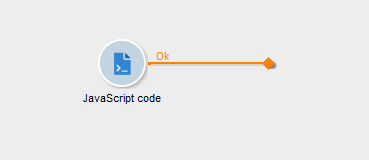
JavaScript Code and SQL Code
Select JavaScript code for an operation written in JavaScript. Select SQL code for an operation written as a SQL script.
Do not treat the two activities as interchangeable. Choose the activity that matches the code being executed.
Configure the JavaScript Code Activity
You would say what there is to set up in JavaScript activity. But anyway here we go:
- Open the workflow.
- Add a JavaScript code activity at the point where the script is required.
- Open the activity.
- Enter the JavaScript code in the activity’s JavaScript code field.
- Confirm the configuration and save the workflow.
Keep the first version of a script narrow and testable. Add unrelated processing in separate activities rather than combining several independent operations into one long script.
Practical Workflow Layout
A simple workflow layout can isolate custom code from surrounding processing:
Preparation activity
 |
JavaScript Code activity
 |
Next workflow activity
For example, use one activity to prepare the workflow before the script and another activity for the next required operation. Keeping the JavaScript in its own activity makes the custom code easier to locate and revise.
Troubleshoot Script Failures
When a workflow fails at a JavaScript Code activity, review the code entered in that activity before changing unrelated workflow logic. Start with the smallest intended operation, then add remaining processing in small changes.
Use separate JavaScript Code activities for unrelated operations. A script with one identifiable responsibility is easier to review than a single script that combines several independent tasks.
Scope the Script Carefully
Use the JavaScript Code activity for JavaScript processing and use the SQL code activity for SQL processing. Keep the code clearly scoped to the operation the activity is intended to perform.
Other possible ways how to use JavaScript activity
Junction
🔒 Premium Subscriber Content
Please log in to preview content. Log in or Register
You must log in and have a Premium Subscriber account to preview the content.
When upgrading, please use the same email address as your WordPress account so we can correctly link your Premium membership.
Please allow us a little time to process and upgrade your account after the purchase. If you need faster access or encounter any issues, feel free to contact us at info@martechnotes.com or through any other available channel.
To join the Discord community, please also provide your Discord username after subscribing, or reach out to us directly for access.
You can subscribe even before creating a WordPress account — your subscription will be linked to the email address used during checkout.
Premium Subscriber
29,99 € / Year
- Free e-book with all revisions - 101 Adobe Campaign Classic (SFMC 101 in progress)
- All Premium Subscriber Benefits - Exclusive blog content, weekly insights, and Discord community access
- Lock in Your Price for a Full Year - Avoid future price increases
- Limited Seats at This Price - Lock in early before it goes up
- Monthly 15-Minute Call - Discuss any topic directly
Share With Others
 Platinum