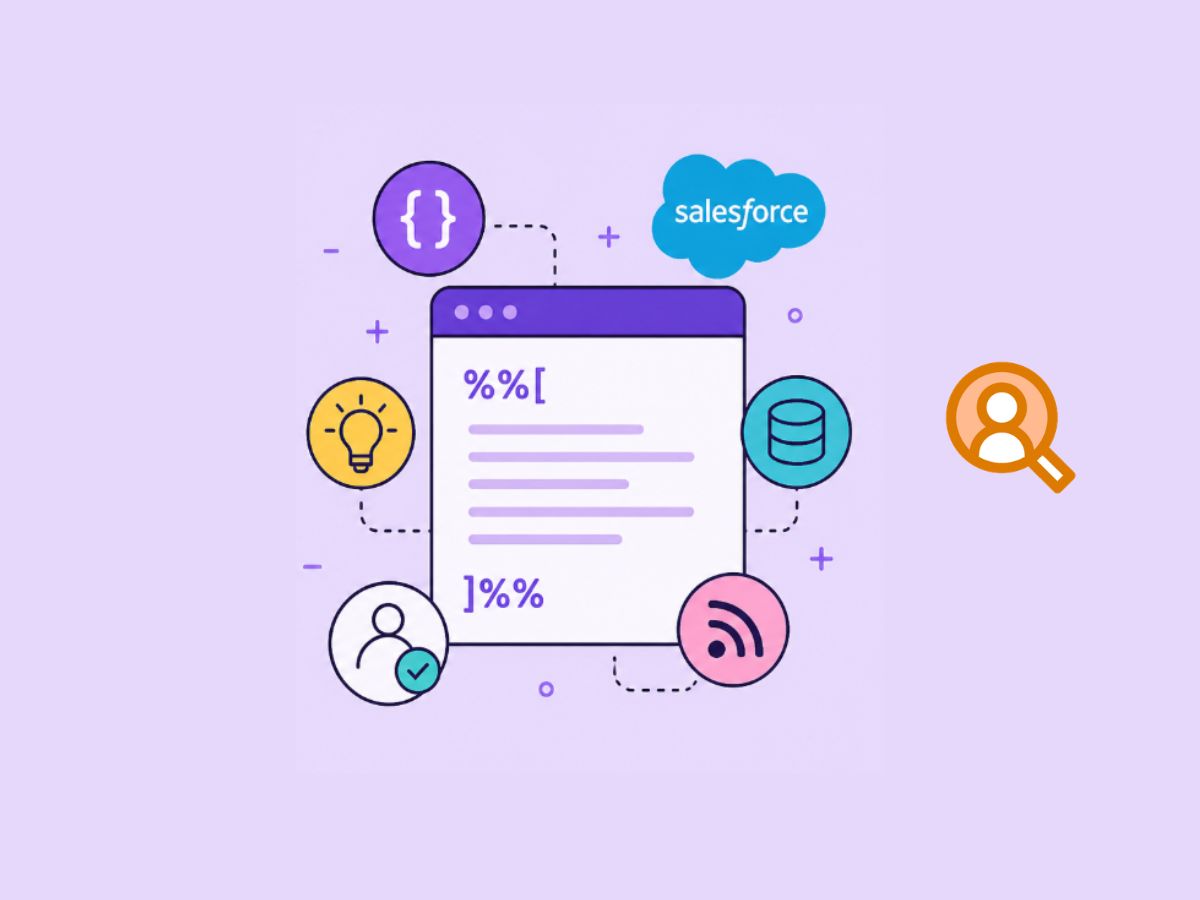

50 Salesforce Marketing Cloud AMPscript examples
Last time, we created 50 SQL examples and 25 SSJS examples (only 25 because I couldn’t think of more at the time. I might expand that later). Today, it’s time to continue the series and add 50 more real-life examples in a scripting language, AMPscript, used in Salesforce Marketing Cloud and very recently also in Marketing Cloud Next the younger brother that is directly on core CRM platform.
Below are 50 real-life AMPscript examples, written the way you’d actually use them in emails, CloudPages, or landing flows – not toy snippets. In fact, this is not just a collection of examples, it is a complete AMPscript guide that can take you from zero to hero.
Basic Personalization with Fallback
All emails use personalization, so what better place to start than getting the basics right. A good practice, although often overlooked, is to use AttributeValue to retrieve any field from your data extension used in the communication.
%%[
SET @firstName = AttributeValue("FirstName")
IF EMPTY(@firstName) THEN
  SET @firstName = "there"
ENDIF
]%%
%%=Concat("Hi ", @firstName, ",")=%%
This script gets the subscriber’s first name using AttributeValue. If it’s empty, it defaults to "there" so the greeting still works. Then it uses Concat() to join strings together – "Hi ", the name, and a comma – into one final message.
Output example:
- If name exists → Hi John,
- If missing → Hi there,
Preferred name personalization with fallback
Another example of displaying the subscriber’s name, in case your database also holds information about a preferred name, is to combine the preferred name with the first name.
%%[
VAR @firstName, @preferredName, @displayName
SET @firstName = AttributeValue("FirstName")
SET @preferredName = AttributeValue("PreferredName")
SET @displayName = IIF(NOT EMPTY(@preferredName), @preferredName, @firstName)

IF EMPTY(@displayName) THEN
  SET @displayName = "there"
ENDIF
]%%
Welcome back, %%=v(@displayName)=%%.
Conditional Greeting Based on Time
Sometimes your business unit serves customers across different time zones, and personalizing greetings can be done based on their time zone shift relative to UTC.
%%[
/* timezone_offset offset from UTC as number -1 -2 -3 0 1 2 3 */
SET @tzUTCOffset = AttributeValue("timezone_offset")

IF EMPTY(@tzUTCOffset ) THEN
  SET @tzUTCOffset = 0
ENDIF

/* SFMC is UTC-6, so shift to UTC first (+6) */
SET @totalShift = Add(@tzUTCOffset, 6)

/* apply final shift */
SET @localNow = DateAdd(Now(), @totalShift, "H")

SET @hour = FormatDate(@localNow,"","HH")

IF @hour < 12 THEN
  SET @greeting = "Good morning"
ELSEIF @hour < 18 THEN
  SET @greeting = "Good afternoon"
ELSE
  SET @greeting = "Good evening"
ENDIF
]%%
%%=v(@greeting)=%%
This script personalizes a greeting based on the subscriber’s timezone. It first reads the user’s timezone_offset and defaults it to 0 if missing. Because Salesforce Marketing Cloud system time is always UTC-6 , it adds 6 hours to convert to UTC and then applies the user’s offset. The adjusted time is calculated using DateAdd(Now(), ...), where Now() returns the current system time . It then extracts the hour and uses simple conditions to decide whether to show “Good morning”, “Good afternoon”, or “Good evening”.
FormatDate(date, dateFormat, timeFormat, locale)Units:
HH = Hour 24-hour format – 0-24
dd = days – 1-31
MM = months – 01-12
etc.
DateAdd(date, amount, unit)Units:
HH = Hour 24-hour format – 0-24
dd = days – 1-31
MM = months – 01-12
etc.
Country-Based Content Switch
Many organizations serve customers across multiple countries and regions, where audiences speak different languages and operate in different cultural and time zone contexts. In Europe, for example, it is common for a single team to manage the entire CEE or even broader European market, which introduces additional complexity in communication, campaign execution, and personalization.
%%[
SET @country = Lowercase(AttributeValue("Country"))
IF EMPTY(@country) THEN SET @country= "en" ENDIF

IF @country == "de" THEN
  SET @greeting = "Halo"
ELSEIF @country == "gb" THEN
  SET @greeting = "Hello"
ENDIF
]%%
%%=v(@greeting)=%%
This script reads the subscriber’s Country, converts it to lowercase for consistency, and defaults it to "en" if missing. It then uses simple conditions to assign a greeting based on the country code – "Halo" for Germany (de) and "Hello" for the UK (gb). Finally, it outputs the greeting.
This can be used in many scenarios not only for language content variation but also for variation in email hero sections, CTA buttons or displaying different discounts on the email for different segment. Again here is good to mention that we use AttributeValue and empty check on value.
%%[
SET @segment = Lowercase(AttributeValue("Segment"))
IF EMPTY(@segment) THEN SET @segment = "default"
IF @segment == "vip" THEN
  SET @discount = "20%"
ELSEIF @segment == "gold" THEN
  SET @discount = "15%"
ELSE
  SET @discount = "10%"
ENDIF
]%%
</p>Enjoy your %%=v(@discount)=%%% discount on any purchased items for your next order. Use code SUMMERSALE%%=v(@discount)=%%</p>
Lookup Product Info
Product recommendations or transactional product details are often stored in separate Data Extensions. Using AMPscript, you can dynamically fetch product information like name, image, price, and URL, and render it as a structured content block inside your email.
The example below shows how to retrieve product data using a Lookuprows() with fallback products and display it as a simple product card with an image, price, and call-to-action button.
%%[
VAR @sku1, @sku2, @sku3, @country
VAR @fallbackRows, @row, @rows

/* Final product variables */
VAR @name1, @price1, @image1, @url1
VAR @name2, @price2, @image2, @url2
VAR @name3, @price3, @image3, @url3

SET @sku1    = AttributeValue("SKU1")
SET @sku2    = AttributeValue("SKU2")
SET @sku3    = AttributeValue("SKU3")
SET @country = AttributeValue("Country")

/* --- PRELOAD FALLBACK PRODUCTS --- */
SET @fallbackRows = LookupOrderedRows("Products_DE", 3, "Price DESC", "Country", @country)

/* Fallback 1 */
SET @row = Row(@fallbackRows,1)
SET @fb_name1  = Field(@row,"ProductName")
SET @fb_price1 = Field(@row,"Price")
SET @fb_image1 = Field(@row,"ImageURL")
SET @fb_url1   = Field(@row,"ProductURL")

/* Fallback 2 */
SET @row = Row(@fallbackRows,2)
SET @fb_name2  = Field(@row,"ProductName")
SET @fb_price2 = Field(@row,"Price")
SET @fb_image2 = Field(@row,"ImageURL")
SET @fb_url2   = Field(@row,"ProductURL")

/* Fallback 3 */
SET @row = Row(@fallbackRows,3)
SET @fb_name3  = Field(@row,"ProductName")
SET @fb_price3 = Field(@row,"Price")
SET @fb_image3 = Field(@row,"ImageURL")
SET @fb_url3   = Field(@row,"ProductURL")

/* ---------- SLOT 1 ---------- */
IF NOT EMPTY(@sku1) THEN
  SET @rows = LookupRows("Products_DE","ProductID",@sku1)

  IF RowCount(@rows) > 0 THEN
    SET @row = Row(@rows,1)

    SET @name1  = Field(@row,"ProductName")
    SET @price1 = Field(@row,"Price")
    SET @image1 = Field(@row,"ImageURL")
    SET @url1   = Field(@row,"ProductURL")
  ELSE
    SET @name1=@fb_name1 SET @price1=@fb_price1 SET @image1=@fb_image1 SET @url1=@fb_url1
  ENDIF
ELSE
  SET @name1=@fb_name1 SET @price1=@fb_price1 SET @image1=@fb_image1 SET @url1=@fb_url1
ENDIF

/* ---------- SLOT 2 ---------- */
IF NOT EMPTY(@sku2) THEN
  SET @rows = LookupRows("Products_DE","ProductID",@sku2)

  IF RowCount(@rows) > 0 THEN
    SET @row = Row(@rows,1)

    SET @name2  = Field(@row,"ProductName")
    SET @price2 = Field(@row,"Price")
    SET @image2 = Field(@row,"ImageURL")
    SET @url2   = Field(@row,"ProductURL")
  ELSE
    SET @name2=@fb_name2 SET @price2=@fb_price2 SET @image2=@fb_image2 SET @url2=@fb_url2
  ENDIF
ELSE
  SET @name2=@fb_name2 SET @price2=@fb_price2 SET @image2=@fb_image2 SET @url2=@fb_url2
ENDIF

/* ---------- SLOT 3 ---------- */
IF NOT EMPTY(@sku3) THEN
  SET @rows = LookupRows("Products_DE","ProductID",@sku3)

  IF RowCount(@rows) > 0 THEN
    SET @row = Row(@rows,1)

    SET @name3  = Field(@row,"ProductName")
    SET @price3 = Field(@row,"Price")
    SET @image3 = Field(@row,"ImageURL")
    SET @url3   = Field(@row,"ProductURL")
  ELSE
    SET @name3=@fb_name3 SET @price3=@fb_price3 SET @image3=@fb_image3 SET @url3=@fb_url3
  ENDIF
ELSE
  SET @name3=@fb_name3 SET @price3=@fb_price3 SET @image3=@fb_image3 SET @url3=@fb_url3
ENDIF

]%%
Dynamic Balance Lookup with currency formatting
In many real-world scenarios, key customer data like account balance is not stored directly in your sendable Data Extension. Instead, it lives in a separate table that gets updated by external systems. In those cases, AMPscript allows you to fetch that data at send time and display it dynamically in your email.
The example below shows how to retrieve a subscriber’s balance from a dedicated Data Extension using a lookup, apply a fallback if no record is found, and format the value for display.
%%[
/*
It's fine to declare variables but things works without it
VAR @subscriberKey, @balance
*/

/*
SET @subscriberKey = AttributeValue("SubscriberKey")
we can use personalization string '_subscriberkey' that is available in every email by default
*/

/* Lookup balance from a DE called Customer_Balance_DE */
SET @balance = Lookup("Customer_Balance_DE", "Balance", "SubscriberKey", _subscriberKey)

/* Fallback in case no record is found */
IF EMPTY(@balance) THEN
  SET @balance = 0
ENDIF
]%%

Balance due: %%=FormatCurrency(@balance, "en_GB")=%%
AMPscript is a server-side scripting language used in Salesforce Marketing Cloud to personalize content in emails, SMS, and CloudPages. It runs at the time of send or page load, allowing you to dynamically retrieve data, apply logic, and control how content is rendered for each individual subscriber. In practice, it acts as the bridge between your data and your messaging, enabling real-time personalization without needing to pre-process every value in advance.
Get Latest Order (Simple)
%%[
SET @rows = LookupOrderedRows("Orders_DE", 1, "OrderDate DESC", "SubscriberKey", _subscriberkey)
SET @row = Row(@rows, 1)
SET @lastOrderDate = Field(@row, "OrderDate")
]%%
Date Formatting
%%[
SET @formattedDate = FormatDate(Now(), "dd MMM yyyy")
]%%
Build Dynamic URL with Parameters
Even something as straightforward as building a URL can introduce issues. If you simply concatenate a URL as a string and use it inside an email href, the link will not be tracked properly.
%%[
SET @url = Concat("https://example.com?email=", URLEncode(EmailAddress))
]%%
<a href="%%=v(@url)=%%">CTA</a>
To ensure tracking works as expected in Salesforce Marketing Cloud, you should use the built-in redirect function RedirectTo, which wraps the URL and enables click tracking.
RedirectTo(targetUrl)%%[
SET @url = Concat("https://example.com?email=", URLEncode(EmailAddress))
]%%
<a href="%%=RedirectTo(@url)=%%">CTA</a>Actually the RedirectTo or CloudPagesUrl is the only recommended way even when tracking is not needed as these functions will make sure your subscribers data or query parameters stay encruypted and only can be read by marketing cloud on cloud page or tracking servers
Even when tracking is not required, using RedirectTo() or CloudPagesURL() is still recommended. These functions ensure that links are properly handled by Marketing Cloud and, in the case of CloudPagesURL(), that query parameters are securely encrypted.
CloudPagesURL(pageId,
              parameterName1, parameterValue1,
              [parameterName2, parameterValue2] ... )
The CloudPagesURL() function generates a link with an encrypted query string, meaning subscriber data and parameters are not exposed in plain text and can only be read within Marketing Cloud (for example, via RequestParameter() on a CloudPage)
Example with a Data Extension lookup that prints dynamic (personalized) URLs based on the SubscriberKey.
%%[
VAR @rows, @row, @cntr, @product, @baseUrl, @finalUrl

SET @rows = LookupRows("Products_DE", "SubscriberKey", _subscriberKey)

FOR @cntr = 1 TO RowCount(@rows) DO

  SET @row = Row(@rows, @cntr)
  SET @product = Field(@row, "ProductName")
  SET @baseUrl = Field(@row, "ProductURL")

  /* build dynamic tracked URL with parameter */
  SET @finalUrl = Concat(@baseUrl, "?utm_source=email&utm_medium=sfmc")

]%%
  <a href="%%=RedirectTo(@finalUrl)=%%">%%=v(@product)=%%</a><br>
%%[
NEXT @cntr
]%%
Read encrypted CloudPages parameters
To extract encrypted subscirber’s information from url in the cloud page that salesforce passed from email along with any custom parameters you can simply use RequestParameter()
This function behaves the same way as the QueryParameter() function to preserve backward compatibility.

%%[
VAR @sk, @lang
SET @sk = RequestParameter("sk")
SET @lang = RequestParameter("lang")
]%%
UTM Fallback Logic
%%[
SET @utm = QueryParameter("utm_campaign")

IF EMPTY(@utm) THEN
  SET @utm = "default_campaign"
ENDIF
]%%
Clean email input from a form
%%[
VAR @email
SET @email = Lowercase(Trim(RequestParameter("email")))
]%%
Validate an email address
%%[
VAR @error
SET @error = ""

IF EMPTY(@email) OR NOT IsEmailAddress(@email) THEN
  SET @error = "Enter a valid email address."
ENDIF
]%%
IsEmailAddress() checks whether the value is well formed, which is exactly what you want at form-validation stage.
Mailbox-provider detection
%%[
VAR @email, @domain
SET @email = AttributeValue("EmailAddress")
SET @domain = Domain(@email)
IF @domin == "yopmail.com" THEN RaiseError("Yopmail domain supression", true) ENDIF
]%%
Process submitted form
%%[
VAR @email, @domain
SET @email = AttributeValue("EmailAddress")
SET @domain = Domain(@email)
IF @domin == "yopmail.com" THEN RaiseError("Yopmail domain supression", true) ENDIF
]%%
Parse a delimited interests list
%%[
VAR @interests, @rows, @i, @row
SET @interests = RequestParameter("interests")
SET @rows = BuildRowsetFromString(@interests, "|")

FOR @i = 1 TO RowCount(@rows) DO
  SET @row = Row(@rows, @i)
]%%
  <li>%%=v(Field(@row, 1, false))=%%</li>
%%[
NEXT @i
]%%
AB testing within the email template
I know there are other ways but why not to make it more interesting and use script to deliver random content to the subscriber within the template
%%[
SET @group = Random(1,2)

IF @group == 1 THEN
  /* Version A */
ELSE
  /* Version B */
ENDIF
]%%
First purchase check
%%[
VAR @orders, @orderCount
SET @orders = LookupRows("Orders_DE", "SubscriberKey", _subscriberKey)
SET @orderCount = RowCount(@orders)
]%%

%%[ IF @orderCount == 1 THEN ]%%
  <p>Thanks for your first order.</p>
%%[ ENDIF ]%%

Your verification code: %%=v(@code)=%%

<a href="%%=CloudPagesURL(123, 'code', @code, 'sk', @subscriberKey)=%%">
  Continue
</a>
Abandoned-cart loop
%%[
VAR @cartJson, @jsonRows, @rowCount, @i, @sku
VAR @productRows, @productRow

SET @cartJson = Lookup("Cart_DE", "CartJSON", "SubscriberKey", _subscriberKey)

/* Parse JSON array */
SET @jsonRows = BuildRowsetFromJSON(@cartJson, "$[*]", 1)
SET @rowCount = RowCount(@jsonRows)
]%%

<table width="100%" cellpadding="0" cellspacing="0" style="border-collapse:collapse;">
  <tr>
    <th align="left">Product</th>
    <th align="left">Price</th>
  </tr>

%%[
IF @rowCount > 0 THEN

  FOR @i = 1 TO @rowCount DO

    SET @sku = Field(Row(@jsonRows, @i), "Value")

    /* Lookup product */
    SET @productRows = LookupRows("Products_DE", "ProductID", @sku)

    IF RowCount(@productRows) > 0 THEN

      SET @productRow = Row(@productRows,1)

      SET @name  = Field(@productRow,"ProductName")
      SET @price = Field(@productRow,"Price")
]%%

  <tr>
    <td style="padding:8px 0;">%%=v(@name)=%%</td>
    <td style="padding:8px 0;">%%=FormatCurrency(@price,"en_GB")=%%</td>
  </tr>

%%[
    ENDIF

  NEXT @i

ENDIF
]%%

</table>
Conditional CTA Link
IF AttributeValue("IsCustomer") == "true" THEN
  SET @cta = "https://app.example.com"
ELSE
  SET @cta = "https://signup.example.com"
ENDIF
Format Currency
Formatting the order summary based on the country is another sign of a multi-currency, multi-language BU setup, and it can be very useful when tailoring content to the user’s country profile.
%%[
VAR @price, @country, @formattedPrice, @culture

SET @price = 1234.5
SET @country = LowerCase(AttributeValue("Country"))

IF EMPTY(@country) THEN SET @country = "us" ENDIF
/* Map country to culture (currency handled automatically) */
IF @country == "de" THEN
  SET @culture = "de_DE"

ELSEIF @country == "uz" THEN
  SET @culture = "en_US"

ELSEIF @country == "gb" THEN
  SET @culture = "en_GB"

ELSEIF @country == "sk" THEN
  SET @culture = "sk_SK"

ELSEIF @country == "pl" THEN
  SET @culture = "pl_PL"

ELSEIF @country == "hu" THEN
  SET @culture = "hu_HU"

ELSE
  SET @culture = "en_US"
ENDIF

/* Format as currency */
/* Order Total: $1,234.50 */
SET @formattedPrice = FormatNumber(@price, "C2", @culture)
]%%

<p>Order Total: %%=v(@formattedPrice)=%%</p>
Parameters
- number (required)
The value to format. Can be a number or a string containing a number. - formatType (required)
Defines how the number should be formatted. Common options:C– Currency (e.g. $123.45)D– DecimalF– Fixed decimal (default 2 places)N– Number with thousands separatorG– General (no separators)P– PercentageE– Scientific notationX– Hexadecimal
N2,C0. - cultureCode (optional)
Locale format (e.g.en_US,de_DE) to apply regional formatting rules.
Birthday Check
%%[
VAR @birthdate, @birthday

SET @birthdate = AttributeValue("Birthdate")
SET @birthday = "false"

IF NOT EMPTY(@birthdate) THEN

  IF DatePart(@birthdate, "M") == DatePart(Now(), "M")
  AND DatePart(@birthdate, "D") == DatePart(Now(), "D") THEN

    SET @birthday = "true"

  ENDIF

ENDIF
]%%
Age Calculation
SET @age = DateDiff(AttributeValue("Birthdate"), Now(), "Y")Suppression Logic
IF AttributeValue("DoNotEmail") == "true" THEN
  RaiseError("Suppressed user", true)
ENDIF
External CTA with URL-safe search text
<a href="%%=RedirectTo(Concat("https://example.com/search?q=", URLEncode(AttributeValue("SearchTerm"), true, true)))=%%">
  Continue browsing
</a>
Fetch promo fragment with status handling
%%[
VAR @status, @fragment
SET @status = 0
SET @fragment = HttpGet("https://content.example.com/email/promo-fragment", true, 0, @status)

IF @status != 0 THEN
  SET @fragment = "<p>Check the latest offers on our site.</p>"
ENDIF
]%%
%%=v(@fragment)=%%
Parsing Endpoint Responses
In many implementations, not all data lives inside Salesforce Marketing Cloud. Product recommendations, pricing, availability, or offers are often served from external APIs. AMPscript allows you to fetch this data at send time using HttpGet, parse it, and inject it directly into your email or CloudPage.
This approach is especially useful when you want to display fresh, dynamic content without preloading everything into Data Extensions.
Parse JSON returned by an endpoint
%%[
VAR @status, @json, @products, @rowCount, @i, @product

SET @status = 0

/* Fetch recommendations */
SET @json = HttpGet("https://api.example.com/recommendations?sk=" + _subscriberKey, true, 0, @status)

/* Parse JSON array */
SET @products = BuildRowsetFromJson(@json, "$.products[*]", false)
SET @rowCount = RowCount(@products)

/* Limit to 3 */
IF @rowCount > 3 THEN
  SET @rowCount = 3
ENDIF
]%%

<table width="100%" cellpadding="0" cellspacing="0">
  <tr>

%%[
IF @rowCount > 0 THEN

  FOR @i = 1 TO @rowCount DO

    SET @product = Row(@products, @i)

    SET @name  = Field(@product, "name")
    SET @price = Field(@product, "price")
    SET @image = Field(@product, "image")
    SET @url   = Field(@product, "url")
]%%

    <td align="center" width="33%" style="padding:10px;">
      <img src="%%=v(@image)=%%" width="150"><br>
      %%=v(@name)=%%<br>
      %%=FormatCurrency(@price, "en_GB")=%%<br>
      <a href="%%=RedirectTo(@url)=%%">View</a>
    </td>

%%[
  NEXT @i

ENDIF
]%%

  </tr>
</table>
Parse XML returned by an endpoint
%%[
VAR @status, @xml, @offers, @offer
SET @status = 0
SET @xml = HttpGet("https://content.example.com/offers.xml", true, 0, @status)
SET @offers = BuildRowsetFromXml(@xml, "/offers/offer", false)

IF RowCount(@offers) > 0 THEN
  SET @offer = Row(@offers, 1)
]%%
  <p>%%=v(Field(@offer, "title", false))=%%</p>
%%[
ENDIF
]%%
This is the cleaner modern XML pattern, and the docs explicitly recommend BuildRowsetFromXml() as the preferred approach over older XML transformation workflows where possible.
POST a webhook with an auth header
%%[
VAR @status, @payload, @responseBody, @apiToken
SET @apiToken = "YOUR_API_TOKEN"
SET @payload = Concat('{"subscriberKey":"', _subscriberKey, '","event":"preference_update"}')

SET @responseBody = HttpPost(
  "https://hooks.example.com/subscription",
  "application/json",
  @payload,
  @status,
  "Authorization", Concat("Bearer ", @apiToken)
)
]%%
Premium voucher assignment with a safe fallback
%%[
VAR @segment, @voucherCode, @defaultCode


SET @segment = Uppercase(AttributeValue("Segment"))
SET @defaultCode = "GET10BACK"
IF EMPTY(@segment) THEN
  SET @segment = "STANDARD"
ENDIF

IF @segment == "VIP" THEN
  SET @voucherCode = ClaimRowValue(
    "Vouchers_VIP",
    "VoucherCode",
    "IsClaimed",
    @defaultCode,
    "SubscriberKey",
    _subscriberKey
  )
ELSE
  SET @voucherCode = ClaimRowValue(
    "Vouchers_STANDARD",
    "VoucherCode",
    "IsClaimed",
    @defaultCode,
    "SubscriberKey",
    _subscriberKey
  )
ENDIF
]%%
Your voucher: %%=v(@voucherCode)=%%
Generating and Validating One-Time Codes in SFMC
Most examples with AMPscript stop at personalization. You fetch a name, maybe a product, and call it a day. But AMPscript can go much further. It can generate data, store it, and drive full interaction flows between emails and CloudPages.
This example shows exactly that. You are not just displaying content, you are building a simple verification system. The email generates a unique identifier and a one-time code, stores both in a Data Extension, and passes control to a CloudPage where the user completes the flow.
Email with one-time code
%%[
VAR @guid, @code, @email, @insertStatus, @link

SET @email = EmailAddress

/* generate unique identifier */
SET @guid = GUID()

/* generate 6-digit verification code */
SET @code = Random(100000,999999)

/* store into DE */
SET @insertStatus = InsertDE(
  "VerificationCodes_DE",
  "GUID", @guid,
  "Email", @email,
  "Code", @code,
  "CreatedDate", Now()
)

/* build secure CloudPage link (only GUID exposed) */
SET @link = CloudPagesURL(12345, "guid", @guid)
]%%

Your verification code: %%=v(@code)=%%

<a href="%%=RedirectTo(@link)=%%">Verify your email</a>
Cloud page validation of one-time code
%%[
VAR @guid, @inputCode, @rows, @row, @storedCode, @message

SET @guid = RequestParameter("guid")
SET @inputCode = RequestParameter("code")

/* fetch stored record */
SET @rows = LookupRows("VerificationCodes_DE","GUID",@guid)

IF RowCount(@rows) == 1 THEN

  SET @row = Row(@rows,1)
  SET @storedCode = Field(@row,"Code")

  IF @inputCode == @storedCode THEN

    SET @message = "Verification successful"

    /* optional: mark as used */
    UpdateDE(
      "VerificationCodes_DE",
      1,
      "GUID", @guid,
      "IsUsed", "true"
    )

  ELSE
    SET @message = "Invalid code"
  ENDIF

ELSE
  SET @message = "Invalid or expired request"
ENDIF
]%%

<form method="post">
  Enter code: <input type="text" name="code" />
  <input type="hidden" name="guid" value="%%=v(@guid)=%%" />
  <button type="submit">Verify</button>
</form>

<p>%%=v(@message)=%%</p>
Honeypot Protection on CloudPage Form
Forms in Salesforce Marketing Cloud are easy to build, but also easy to abuse. Bots can submit them repeatedly, creating fake leads, triggering automations, or polluting your data.
Before jumping into heavier solutions like reCAPTCHA, a simple and effective first layer is a honeypot field. It’s an invisible input that real users never interact with, but bots often fill automatically. If that field contains a value, you can safely assume the submission is not human.
Honeypot fields don’t work because bots are stupid, they work because most bots are lazy
This approach adds almost no friction to the user experience, yet filters out a large portion of automated submissions.
The idea behind honeypot protection is to add extra fields to your HTML form that remain invisible to users but are still present in the underlying code, where bots can detect and interact with them.
<style>
  .x9a2-message{
    position: absolute;
    left: -9999px;
    width: 1px;
    height: 1px;
    overflow: hidden;
  }
</style>

<form id="f_92kx1" method="post">

  <!-- Real fields -->
  <label for="f_name_91x">Your Name</label>
  <input type="text" id="f_name_91x" name="f_name_91x" required maxlength="100">

  <label for="f_mail_77z">Your Email</label>
  <input type="email" id="f_mail_77z" name="f_mail_77z" required>

  <!-- Honeypot (obfuscated) -->
  <div class="x9a2-message" aria-hidden="true">

    <label for="f_phone_ext_44"></label>
    <input
      type="text"
      id="f_phone_ext_44"
      name="f_phone_ext_44"
      autocomplete="off"
      tabindex="-1"
    >

    <label for="f_secondary_email_88"></label>
    <input
      type="email"
      id="f_secondary_email_88"
      name="f_secondary_email_88"
      autocomplete="off"
      tabindex="-1"
    >

  </div>

  <button type="submit">Submit</button>

</form>
%%[
VAR @email, @hp1, @hp2, @message
SET @email = RequestParameter("f_mail_77z")
/* honeypot fields */
SET @hp1 = RequestParameter("f_phone_ext_44")
SET @hp2 = RequestParameter("f_secondary_email_88")
IF NOT EMPTY(@hp1) OR NOT EMPTY(@hp2) THEN
/* bot detected */
SET @message = "Invalid submission"
InsertDE(
"Spam_Log_DE",
"Email", @email,
"Reason", "Honeypot triggered",
"CreatedDate", Now()
)
ELSE
InsertDE(
"Leads_DE",
"Email", @email,
"CreatedDate", Now()
)
SET @message = "Success"
ENDIF
]%%Rate Limiting Submissions
Sometimes you want to limit submissions for a user email in lead capture forms. The simplest approach is to check if the email already exists in the submissions table.
%%[
SET @rows = LookupRows("Form_Log_DE","Email",@email)

IF RowCount(@rows) > 5 THEN
  RaiseError("Too many submissions", true)
ENDIF
]%%
Data Extension Upsert Pattern
%%[
SET @rows = LookupRows("Leads_DE","Email",@email)

IF RowCount(@rows) > 0 THEN

  UpdateData(
    "Leads_DE",
    1,
    "Email", @email,
    "Status", "Updated",
    "UpdatedDate", Now()
  )

ELSE

  InsertData(
    "Leads_DE",
    "Email", @email,
    "Status", "New",
    "CreatedDate", Now()
  )

ENDIF
]%%
InsertDe()orUpdateDe()use these functions to insert or update data into a data extension from emails.Secure cloud pages
You can use AMPscript to secure your CloudPages from unwanted visits. The first step is to disable indexing and possibly avoid using a personalized domain. On top of that, you can secure your pages with a simple AMPscript check.
%%[
SET @token= RequestParameter("token")

IF @token != "my-secret-access-code" THEN
   RaiseError()
ENDIF
]%%
Along with advanced options to secure CloudPages, you can also ask support to add your page under “menu items,” which will lock the resource behind an SFMC login.
Advanced voucher assignment based of the subscriber loyalty tier
When assigning unique vouchers, ClaimRow() ensures each code is used only once by locking the record after retrieval.
%%[
VAR @segment, @voucherRow, @voucherCode

/* get subscriber segment */
SET @segment = AttributeValue("Segment")

IF EMPTY(@segment) THEN
  SET @segment = "STANDARD"
ENDIF

/* assign voucher from correct pool */
IF @segment == "VIP" THEN

  SET @voucherRow = ClaimRow(
    "Vouchers_VIP",
    "IsClaimed",
    "SubscriberKey",
    _subscriberkey
  )

ELSE

  SET @voucherRow = ClaimRow(
    "Vouchers_STANDARD",
    "IsClaimed",
    "SubscriberKey",
    _subscriberkey
  )

ENDIF

/* handle result */
IF EMPTY(@voucherRow) THEN

  SET @voucherCode = "NO-CODE"

ELSE

  SET @voucherCode = Field(@voucherRow, "VoucherCode")

ENDIF
]%%

Your voucher: %%=v(@voucherCode)=%%
Similar to
ClaimRowValue(), but instead of returning a fallback, this function throws an error when no unclaimed rows are available.
Handle form submissions
Here we will need to cheat a little bit as we would switch to SSJS only to get request method value.
<script runat=server>
    Platform.Load("Core", "1.1.1");
    //Variable.SetValue('@ip', Platform.Request.ClientIP); to give you more ideas :P
    Variable.SetValue('@request', Platform.Request.Method);
</script>
%%[
SET @errorPage = 1111
SET @thankYouPage = 2222
SET @error = false

IF @request=="POST" THEN
	SET @email = RequestParameter("email")
	/*raise error when email is empty*/
	IF EMPTY(@email) THEN Redirect(CloudPagesURL(@errorPage,'message','email should not be empty')) ENDIF
]%%
//do your thing
%%[ENDIF]%%
Generate SubscriberKey using MD5
%%[
VAR @email, @subscriberKey

SET @email = Lowercase(Trim(EmailAddress))

/* generate deterministic subscriber key */
SET @subscriberKey = MD5(@email)
]%%
Content Rendering from Stored HTML
%%[
SET @htmlBlock = Lookup("Content_DE","HTML","Key","promo_1")
]%%
%%=TreatAsContent(@htmlBlock)=%%
Reusable Content with ContentBlockByKey
A good practice, based on experience, is to use the ContentBlockByKey() function when adding code snippets to your emails and, most importantly, assign meaningful names to your content blocks.
%%[
SET @content = ContentBlockByKey("promoBlock")
]%%
%%=TreatAsContent(@content)=%%
Disable tracking for particular link
Sometimes you may be asked to disable tracking for a specific link. A practical solution is to render the entire href attribute from a variable. This prevents Salesforce Marketing Cloud from detecting the link before personalization, so it won’t be tracked.
%%[
SET @urlHtml = '<a href="%=v(@somelink_with_queryPramms_and_hashtag)=%">
  Hello I'm hashtag link and won't tell anybody you clicked on me
</a>'
]%%
%%=TreatAsContent(@urlHtml)=%%
Prevent ClaimRow allocating vouchers in Preview
ClaimRow() runs even in preview mode and can consume real vouchers. To prevent this, use the _messagecontext variable to return a dummy value when the context is PREVIEW.
%%[
IF _messagecontext == "PREVIEW" THEN
  SET @code = "TEST-CODE"
ELSE

  SET @row = ClaimRow(
    "Coupons_DE",
    "IsClaimed",
    "SubscriberKey",
    _subscriberkey
  )

  SET @code = Field(@row,"CouponCode")

ENDIF
]%%
Mixing AMPscript with GTL Data Sources
In some advanced email templates, especially older or hybrid setups, you might see AMPscript used together with Guide Template Language (GTL). This allows you to loop through structured data (like JSON) and then pass values into AMPscript for further processing.
I have not used this pattern extensively myself, but I’ve seen it used in the past when working with dynamic data sources inside Content Builder.
{{.datasource products type=variable source=@products maxrows=5}}
  {{.data}}

    %%[
    SET @name = TreatAsContent('{{products.name}}')
    SET @price = TreatAsContent('{{products.price}}')
    ]%%

    <p>
      Product: %%=v(@name)=%%<br>
      Price: %%=v(@price)=%%
    </p>

  {{/data}}
{{/datasource}}
Why This Exists
- GTL is better for looping and structured data
- AMPscript is better for logic and personalization
TreatAsContent()acts as a bridge between the two
Error Handling with SSJS Try/Catch Around AMPscript
There is no native error handling in AMPscript, but SSJS comes to the rescue with try/catch blocks, which turn vague “An error occurred” messages into something more useful to work with.
<script runat="server">
Platform.Load("Core","1.1.1");
try {
</script>
%%[
RaiseError("This is error man")
]%%
<script runat="server">
} catch(e) {
  Write(Stringify(e))
}
</script>
Adding error handling will give us
{"message":"This is error man","description":"ExactTarget.OMM.AMPScriptRaiseErrorException: This is error man - from Jint\r\n\r\n"}Without
An error occurredFiltering Data Using Prebuilt Data Filters
AMPscript has limited filtering capabilities, but this can be solved by creating a filtered Data Extension and retrieving its data using AMPscript.
%%[
VAR @rows, @row, @count, @i
/* external key of your Data Filter */
SET @rows = ExecuteFilter("HighValueCustomers_Filter")
SET @count = RowCount(@rows)
IF @count > 0 THEN
  FOR @i = 1 TO @count DO
    SET @row = Row(@rows,@i)
    SET @name = Field(@row,"FirstName")
    SET @points = Field(@row,"Points")
]%%
    <p>%%=v(@name)=%% - %%=v(@points)=%% points</p>
%%[
  NEXT @i
ELSE
]%%
  <p>No matching records found</p>
%%[
ENDIF
]%%
make your data extension name equal to external key
Now a more real-life scenario: show top customers based of engagement scoring
%%[
VAR @rows, @row, @i

/* get top 3 customers by points */
SET @rows = ExecuteFilterOrderedRows(
  "HighValueCustomers_Filter",
  3,
  "Points DESC"
)

FOR @i = 1 TO RowCount(@rows) DO

  SET @row = Row(@rows,@i)

  SET @name = Field(@row,"FirstName")
  SET @points = Field(@row,"Points")

]%%
  <p>#%%=v(@i)=%% %%=v(@name)=%% - %%=v(@points)=%% points</p>
%%[
NEXT @i
]%%
Encryption and Decryption in AMPscript
MD5 is useful for hashing, but it’s one-way only. Sometimes you need to encrypt data and later decrypt it, for example when passing sensitive values between emails and CloudPages.
AMPscript provides EncryptSymmetric() and DecryptSymmetric() for this.
<script runat="server">
Platform.Load("Core","1.1.1");
try {
</script>
%%[
VAR @value, @enc, @dec

SET @value = "hello"

/* encrypt */
SET @enc = EncryptSymmetric(
  @value,
  "aes",
  @null,
  "password123",
  @null,
  "A1B2C3D4E5F60708",
  @null,
  "00112233445566778899AABBCCDDEEFF"
)

/* decrypt */
SET @dec = DecryptSymmetric(
  @enc,
  "aes",
  @null,
  "password123",
  @null,
  "A1B2C3D4E5F60708",
  @null,
  "00112233445566778899AABBCCDDEEFF"
)
]%%

Encrypted: %%=v(@enc)=%%<br>
Decrypted: %%=v(@dec)=%%
<script runat="server">
} catch(e) {
  Write(Stringify(e))
}
</script>
Updating Salesforce Records Directly from AMPscript
Sometimes you don’t want to store data only in Marketing Cloud. Instead, you want to update records directly in Salesforce, for example when a user submits a form or updates preferences.
AMPscript provides the UpdateSingleSalesforceObject() function, which allows you to update a single record in Sales Cloud or Service Cloud using Marketing Cloud Connect.
%%[
VAR @contactId, @result

SET @contactId = RequestParameter("id")

IF NOT EMPTY(@contactId) THEN

  SET @result = UpdateSingleSalesforceObject(
    "Contact",
    @contactId,
    "HasOptedOutOfEmail",
    "true"
  )

ENDIF
]%%
Updating Salesforce objects can introduce noticeable delays. During this time, users, even on gigabit connections, may start wondering if they actually clicked the submit button and end up submitting the form multiple times, causing duplicate updates. A better approach is to log changes in a Data Extension first and then process them asynchronously using an automation to update Salesforce.
Unsubscribe with Error Handling using LogUnsubEvent
When handling unsubscribes in a custom preference center, you need to inform Salesforce Marketing Cloud that the subscriber has unsubscribed. Instead of a simple update, you must perform a set of operations required for a proper contact unsubscribe, make the LogUnsubEvent call.
<script runat="server">
Platform.Load("Core","1.1.1");

try {
</script>

%%[
/* Declare variables */
VAR @subscriberKey, @jobId, @listId, @batchId, @reason
VAR @request, @prop, @statusCode, @overallStatus, @requestId
VAR @responseRow, @statusMessage, @errorCode

/* Get context values */
SET @subscriberKey = _subscriberkey
SET @jobId = RequestParameter("jobid")
SET @listId = RequestParameter("listid")
SET @batchId = RequestParameter("batchid")

/* Reason for unsubscribe */
SET @reason = "One-click unsubscribe via CloudPage"

/* Create API request */
SET @request = CreateObject("ExecuteRequest")
SetObjectProperty(@request, "Name", "LogUnsubEvent")

/* Add SubscriberKey */
SET @prop = CreateObject("APIProperty")
SetObjectProperty(@prop, "Name", "SubscriberKey")
SetObjectProperty(@prop, "Value", @subscriberKey)
AddObjectArrayItem(@request, "Parameters", @prop)

/* Add JobID */
SET @prop = CreateObject("APIProperty")
SetObjectProperty(@prop, "Name", "JobID")
SetObjectProperty(@prop, "Value", @jobId)
AddObjectArrayItem(@request, "Parameters", @prop)

/* Add ListID */
SET @prop = CreateObject("APIProperty")
SetObjectProperty(@prop, "Name", "ListID")
SetObjectProperty(@prop, "Value", @listId)
AddObjectArrayItem(@request, "Parameters", @prop)

/* Add BatchID */
SET @prop = CreateObject("APIProperty")
SetObjectProperty(@prop, "Name", "BatchID")
SetObjectProperty(@prop, "Value", @batchId)
AddObjectArrayItem(@request, "Parameters", @prop)

/* Add unsubscribe reason */
SET @prop = CreateObject("APIProperty")
SetObjectProperty(@prop, "Name", "Reason")
SetObjectProperty(@prop, "Value", @reason)
AddObjectArrayItem(@request, "Parameters", @prop)

/* Execute API call */
SET @statusCode = InvokeExecute(@request, @overallStatus, @requestId)

/* Parse response */
SET @responseRow = Row(@statusCode, 1)
SET @statusMessage = Field(@responseRow, "StatusMessage")
SET @errorCode = Field(@responseRow, "ErrorCode")
]%%

<script runat="server">
} catch(e) {

  /* Output error for debugging */
  Write("<b>Error:</b> " + Stringify(e));

}
</script>

<!-- Debug output -->
Response Row: %%=v(@responseRow)=%%<br>
Status: %%=v(@statusMessage)=%%<br>
Error Code: %%=v(@errorCode)=%%
Send-Time vs View-Time Content Handling
AMPscript executes at send time, but content can also be viewed later in different contexts like “View as Web Page” or forwarded emails. In those cases, you may want to control whether the user sees the original send-time content or the latest available data.
This example shows how to use send logging and context checks to display the correct version of content depending on where it is viewed.
%%[
VAR @subscriberId, @jobId, @batchId
VAR @sendLogRow, @content, @context

/* Identify send context */
SET @context = _messagecontext

/* Capture identifiers */
SET @subscriberId = _subscriberid
SET @jobId = jobid
SET @batchId = batchid

/* Default content (latest version) */
SET @content = "This is the latest version of the content."

/* If not email send, try to fetch send-time snapshot */
IF @context != "SEND" THEN

  /* Lookup send log to get original content */
  SET @sendLogRow = LookupRows(
    "SendLog_DE",
    "SubscriberID", @subscriberId,
    "JobID", @jobId,
    "BatchID", @batchId
  )

  IF RowCount(@sendLogRow) > 0 THEN
    SET @content = Field(Row(@sendLogRow,1),"EmailContent")
  ENDIF

ENDIF
]%%

<p>%%=v(@content)=%%</p>
This type of content switch is often used when segments change frequently. In such cases, your VAWP (View as Web Page) can render incorrectly or display unexpected content.
Dynamic RSS Feed Content in Email
Sometimes you don’t want to store content in a Data Extension or CMS. Instead, you can pull the latest articles directly from an RSS feed at send time. This ensures your email always contains the most up-to-date content without manual updates.
%%[
VAR @xml, @items, @rowCount, @row, @i
VAR @title, @link, @desc

/* fetch RSS feed */
SET @xml = HTTPGet("https://example.com/rss.xml")

/* parse items */
SET @items = BuildRowsetFromXML(@xml, "/rss/channel/item", 0)
SET @rowCount = RowCount(@items)

/* limit to top 5 */
IF @rowCount > 5 THEN
  SET @rowCount = 5
ENDIF

/* loop through articles */
FOR @i = 1 TO @rowCount DO

  SET @row = Row(@items, @i)

  SET @title = Field(BuildRowsetFromXML(@xml, Concat("/rss/channel/item[",@i,"]/title"),1),1)
  SET @link  = Field(BuildRowsetFromXML(@xml, Concat("/rss/channel/item[",@i,"]/link"),1),1)
  SET @desc  = Field(BuildRowsetFromXML(@xml, Concat("/rss/channel/item[",@i,"]/description"),1),1)

]%%

  <p>
    <strong>%%=v(@title)=%%</strong><br>
    %%=v(@desc)=%%<br>
    <a href="%%=RedirectTo(@link)=%%">Read more</a>
  </p>

%%[
NEXT @i
]%%
AMPscript allows you to fetch and parse XML feeds using HTTPGet() and BuildRowsetFromXML().
Add copyright info to email footers
This is a really simple trick, but it’s very helpful in cases where your templates previously had the copyright year hardcoded and you had to go and fix every single one of them. Here’s a better way if you want to automate things a bit by adding a copyright line with a dynamically changing year.
<p>© %%=Format(Now(),'yyyy')=%% All rights reserved.</p>
<!-- OR -->
<p>© %%xtyear%% All rights reserved.</p>
Query shared data extensions
This is not possible in SSJS by any method, for some reason, but surprisi
🔒 This content is for Premium Subsribers only.
Please log in to preview content. Log in or Register
You must log in and have a Premium Subscriber account to preview the content.
When upgrading, please use the same email address as your WordPress account so we can correctly link your Premium membership.
Please allow us a little time to process and upgrade your account after the purchase. If you need faster access or encounter any issues, feel free to contact us at info@martechnotes.com or through any other available channel.
To join the Discord community, please also provide your Discord username after subscribing, or reach out to us directly for access.
You can subscribe even before creating a WordPress account — your subscription will be linked to the email address used during checkout.
Premium Subscriber
19,99 € / Year
- Free e-book with all revisions - 101 Adobe Campaign Classic (SFMC 101 in progress)
- All Premium Subscriber Benefits - Exclusive blog content, weekly insights, and Discord community access
- Lock in Your Price for a Full Year - Avoid future price increases
- Limited Seats at This Price - Lock in early before it goes up
Share With Others