Implement the new google cloud reCAPTCHA enterprise in WordPress

I previously wrote an article on how to implement reCAPTCHA in WordPress — but Google decided it was time to move it under Google Cloud. If you’ve been using the old implementation, you might have noticed it suddenly stopped working (At least for me).
Nothing to worry about—I’ll walk you through migrating your existing reCAPTCHA keys into a new Google Cloud API project, step by step. And for newcomers, we’ll top it off by implementing the latest reCAPTCHA Enterprise API from scratch.
reCAPTCHA has moved under the google cloud
Before you generate any keys or touch WordPress, you must have a Google Cloud account and an active project. reCAPTCHA Enterprise now lives entirely inside Google Cloud, so you’ll be asked to enable the reCAPTCHA Enterprise API and turn on billing for the project. Google lets every organization process 10 000 assessments per month free of charge; above that you move into the paid tiers ( $8 total for the next 90 000 assessments, then $1 per 1 000 beyond 100 000 )
How to migrate existing “classic” reCAPTCHA keys
Google didn’t leave long-time users stranded: every reCAPTCHA Classic (v2 / v3) site-key can be migrated into a Google Cloud project so it keeps working under the new Enterprise-backed platform. Google offers two paths:
- Automatic migration – Google will create a Cloud project for you and move the key there; you’ll get an email when it happens.
- Manual migration – You choose (or create) the Cloud project yourself and push the key across in 5-10 minutes.
Either way, the front-end snippet you already embedded on your site doesn’t change; only the key’s backend home and billing context move.
| Step | What to click in Google Cloud | Notes |
| 1. Sign in to the reCAPTCHA Admin console and choose the legacy key. | Click ⋮ → Migrate key. | The UI walks you to Google Cloud. |
| 2. Select or create a Google Cloud project. | You must have the reCAPTCHA Enterprise Admin IAM role in that project. | |
| 3. Confirm. | Google copies the key, assigns it a Cloud “resource name,” and enables the reCAPTCHA Enterprise API automatically. | |
| 4. Billing check | Billing must be enabled on the project even though the first 10 000 assessments/month are free; beyond that it’s US $8 for the next 90 000, then $1 per 1 000. | |
| 5. Back-end update (Optional) | If you call siteverify today, you can keep doing so. If you switch to the Enterprise Assessment endpoint, update your code and credentials. |
Implement new reCAPTCHA enterprise in WordPress
Create a new API project, or navigate to an existing one. Once you’re inside the project, use the search bar to type “reCAPTCHA” and follow the link to access the reCAPTCHA settings.
Select from the list “reCAPTCHA – security”
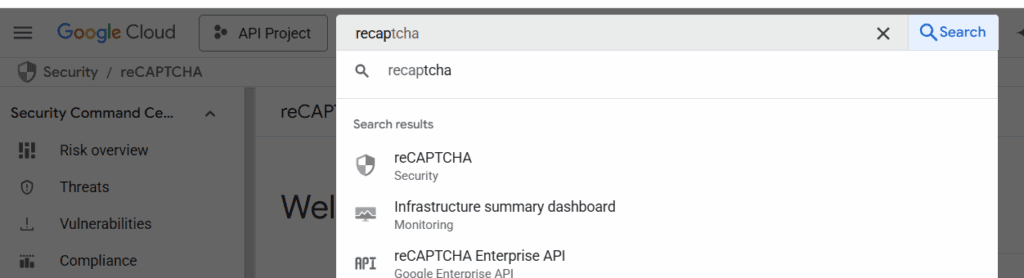
Click on “Create Key” and follow the setup wizard. Once your key is created, you’ll receive a site key and an API key (or a service account credential if you’re using the Enterprise API). Save these securely.
After that, you can begin integrating reCAPTCHA into your WordPress site-step by step-starting with frontend integration and followed by backend token validation.
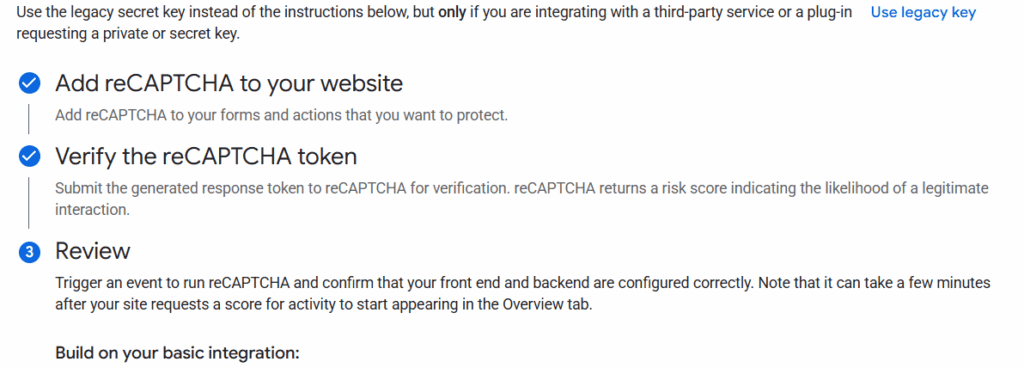
Front end implementation
You can follow the exact steps from the official documentation—it’s fairly straightforward and well-explained.
Now let’s apply that to our WordPress comment section, because that’s where all the bots are flooding in and making our lives a little more difficult.…
🔒 Premium Subscriber Content
What you can learn with Premium
Unlock the full article to explore these topics in detail.
Already a Premium subscriber? Log in to continue reading, or register to create your account.
You must log in and have a Premium Subscriber account to read the full article.
When upgrading, please use the same email address as your WordPress account so we can correctly link your Premium membership.
Please allow us a little time to process and upgrade your account after the purchase. If you need faster access or encounter any issues, feel free to contact us at info@martechnotes.com or through any other available channel.
To join the Discord community, please also provide your Discord username after subscribing, or reach out to us directly for access.
You can subscribe even before creating a WordPress account — your subscription will be linked to the email address used during checkout.
Premium Subscriber
29,99 € / Year
- Free e-book with all revisions - 101 Adobe Campaign Classic (SFMC 101 in progress)
- All Premium Subscriber Benefits - Exclusive blog content, weekly insights, and Discord community access
- Lock in Your Price for a Full Year - Avoid future price increases
- Limited Seats at This Price - Lock in early before it goes up
- Monthly 15-Minute Call - Discuss any topic directly