Marketing Cloud Engagement Automation for Consent Synchronization with Salesforce

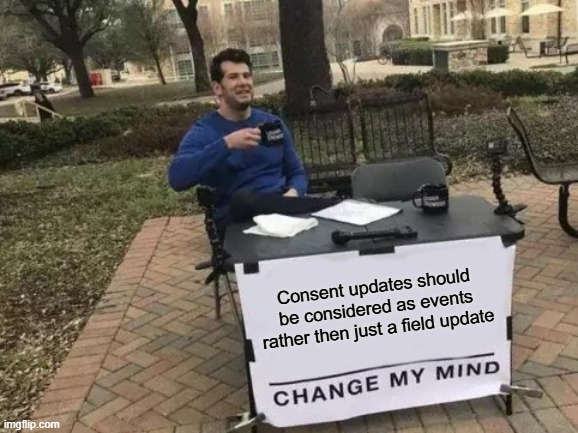
Consent updates should be treated as events rather than simple field changes. A reliable process captures each consent action, records it, and synchronizes it with Salesforce asynchronously. This approach improves response times, supports error handling, and creates a clear audit trail for compliance.
Why direct consent updates can be unreliable with MC Connect
A CloudPage should not wait for a direct update to a Salesforce Lead or Contact to complete. The request may trigger Salesforce Flows, validation rules, Apex code, or other automation, which can slow the response or cause it to fail. Imagine clicking “Save Preferences” and waiting 10 seconds or more to reach the thank-you page. Nobody likes that – especially in an era of gigabit internet connections.
Instead, Marketing Cloud Engagement should capture the consent event and place it in a processing queue. The user can then receive an immediate confirmation while the update is handled in the background.
Recommended consent-synchronization process
A reliable implementation can follow these steps:
- Capture the consent event in Marketing Cloud Engagement.
- Store the event in a consent queue data extension.
- Return a successful response to the user immediately.
- Use Automation Studio to process pending events at regular intervals.
- Update Salesforce in controlled batches.
- Retry failed updates and record unresolved errors in a separate exception data extension.
The consent queue should include the Contact Key, Salesforce record ID, consent type, updated status, timestamp, source, processing status, retry count, and error message. Each event should also have a unique event ID to prevent the same consent change from being processed more than once.
Handling unsubscribes
Unsubscribe events require special attention. When a subscriber opts out of all email communication, Marketing Cloud Engagement should record the master unsubscribe immediately. The corresponding Salesforce update can be completed afterward through the queued synchronization process, but the subscriber must remain suppressed in Marketing Cloud while the CRM update is pending.
When a subscriber uses the standard unsubscribe link or Profile Center, Marketing Cloud Connect changes the subscriber status to Unsubscribed and updates Salesforce’s Email Opt Out field. However, changing only the Email Opt Out field directly in Salesforce does not synchronize the unsubscribe status back to Marketing Cloud Engagement. When an unsubscribe is initiated in Salesforce, use the Marketing Cloud Unsubscribe action to ensure that both systems remain aligned.
It is also important to distinguish between different types of consent:
- A master unsubscribe blocks general email communication.
- A publication-list unsubscribe removes the subscriber from a specific communication type.
- A channel-specific preference applies to a particular channel, such as SMS.
These consent types should be stored and processed separately so that a subscriber’s preferences are not applied too broadly.
Logging, retries, and monitoring
Every consent event should be logged with its source, timestamp, affected subscription, and processing status. This audit trail helps demonstrate compliance and prevents a later CRM update from accidentally reactivating a subscriber who has already opted out.
For reliable operation, define a maximum number of retry attempts, configure failure alerts, and create a manual review process for events that cannot be synchronized automatically. Records that exceed the retry limit should be moved to an exception data extension with enough information for an administrator to investigate and resolve the issue.
By treating consent changes as queued events instead of synchronous field updates, organizations can improve reliability, reduce delays, preserve consent history, and maintain better alignment between Marketing Cloud Engagement and Salesforce.
MCE Automation to Push consent to Connected Salesforce Org
Loads the Salesforce Marketing Cloud SSJS Core library. Reads processing settings from the c…
🔒 Premium Subscriber Content
What you can learn with Premium
Unlock the full article to explore these topics in detail.
Already a Premium subscriber? Log in to continue reading, or register to create your account.
You must log in and have a Premium Subscriber account to read the full article.
When upgrading, please use the same email address as your WordPress account so we can correctly link your Premium membership.
Please allow us a little time to process and upgrade your account after the purchase. If you need faster access or encounter any issues, feel free to contact us at info@martechnotes.com or through any other available channel.
To join the Discord community, please also provide your Discord username after subscribing, or reach out to us directly for access.
You can subscribe even before creating a WordPress account — your subscription will be linked to the email address used during checkout.
Premium Subscriber
29,99 € / Year
- Free e-book with all revisions - 101 Adobe Campaign Classic (SFMC 101 in progress)
- All Premium Subscriber Benefits - Exclusive blog content, weekly insights, and Discord community access
- Lock in Your Price for a Full Year - Avoid future price increases
- Limited Seats at This Price - Lock in early before it goes up
- Monthly 15-Minute Call - Discuss any topic directly