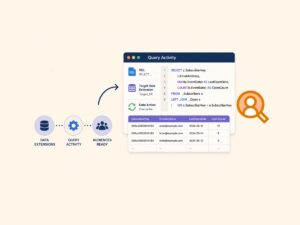

What is AMPscript? How to Personalize Your Marketing Cloud Emails
Most Salesforce Marketing Cloud Engagement emails look personalized at first glance – until you take a closer look. Many teams are not using the full potential of the platform’s personalization scripting capabilities. “Hi %%=v(@FirstName)=%%” is easy. The hard part is tailoring content, offers, and logic per subscriber without creating 40 versions of the same email. That is where AMPscript comes in. It is Marketing Cloud’s server-side scripting language for email personalization, dynamic content, and data lookups, and it is still one of the fastest ways to make an email feel like it was assembled just for one person.
What AMPscript is (and what it is not)
AMPscript is a scripting language designed specifically for Salesforce Marketing Cloud Engagement to help marketers personalize messages using subscriber attributes and data stored in Data Extensions. Salesforce describes it as a server-side language you can use in emails, landing pages, SMS, and more, with output that renders at send time for each recipient, which is why it is so useful for true one-to-one personalization in bulk sends.
What AMPscript is not: a full programming environment with modern debugging tools. It is intentionally lightweight and optimized for message rendering, so you want to keep logic clear, minimize expensive lookups, and treat it like production code even when “it’s just email.”
Where AMPscript can be used in Marketing Cloud Engagement?
One of the reasons AMPscript is so popular is its flexibility across multiple areas of Marketing Cloud Engagement, not just Email Studio. While it’s most commonly associated with emails, it can also be used in CloudPages and, with some workarounds, even within Automation Studio script activities.
In practice, you’ll most often use AMPscript in these places:
- Email HTML
For subject line personalization, dynamic content blocks, and conditional logic inside emails - Content Builder
To power reusable blocks with dynamic text, images, or data-driven variations - Landing pages (CloudPages)
When you need to retrieve, update, or insert data in Data Extensions - Triggered and transactional messaging
Where personalization must be deterministic, fast, and reliable at send time
In short, AMPscript sits at the core of real-time personalization across Marketing Cloud Engagement, especially anywhere content needs to adapt based on subscriber or data context.
The AMPscript building blocks you actually use to personalize emails
Variables, output, and the “print” pattern
Most email AMPscript follows a predictable rhythm:
- Declare variables (optional but for clarity good to be used)
- Set variables from attributes or lookup results
- Output variables into HTML
AMPscript case sensitivity
AMPscript is case insensitive, which means you can declare and reference variables using different casing. It is not recommended, but it is definitely a way to make someone else’s day worse. The best way is to define team wide naming convention and use that.
Personalization strings and AttributeValue()
Personalization strings in AMPscript are the simplest way to pull data directly into your emails without writing full scripting blocks. They use a %% syntax to reference subscriber attributes, data extension fields, or system values, making them perfect for quick wins like names, dates, or basic segmentation. For example, %%FirstName%% or %%emailaddr%% will render values at send time based on the recipient. While they are easy to use and great for straightforward personalization, they have limits – once you need conditional logic, transformations, or multiple data lookups, you will typically move from personalization strings into full AMPscript blocks for better control.
If you have ever seen an email where a missing attribute prints a blank (or worse, the literal string), you already understand why defensive personalization matters.
A common best practice is using `AttributeValue()` to safely pull a subscriber attributes and handle null-ish cases more predictably. In case you would directly call attribute by [attribute name] and your source data extension does not have such field it would throw an error.
A simple version of the pattern looks like this:
%%[
var @firstName
set @firstName = AttributeValue("FirstName")
if empty(@firstName) then
set @firstName = "there"
endif
]%%
Hi %%=v(@firstName)=%%,
It is not fancy, but it stops “Hi ,” from slipping into production.
Conditionals for content targeting
Conditional logic is where AMPscript really starts to earn its keep. It lets you dynamically swap out hero sections, offers, or disclaimers based on things like loyalty tier, geography, lifecycle stage, or any attribute available at send time.
This is not the same as basic merge fields.
Merge fields are simple placeholders – for example, %%FirstName%% – that pull a single value from a subscriber record and drop it into the content. They’re useful, but limited. You’re essentially just displaying data, not making decisions.
AMPscript goes much further. It brings scripting into personalization, which opens up a completely different level of control.
With AMPscript, you can:
- Run
IF/ELSElogic to decide what content to show - Query Data Extensions using functions like
LookuporLookupRows - Build variables and reuse them across your template
- Combine multiple data points into a single decision
- Assign vouchers
For example, instead of just inserting a first name, you can:
- Look up a customer’s latest order
- Check their loyalty tier
- Decide which offer they should see
- Render completely different sections of the email based on that logic
In practice, this means you’re no longer just inserting data into a template. You’re programming how the content behaves at send time.
Instead of maintaining multiple versions of emails for different audiences, you define the rules once and let AMPscript dynamically assemble the right experience for each subscriber.
Assign voucher for subscriber
To assign vouchers, Salesforce Marketing Cloud Engagement is equipped with a dedicated function just for this purpose. I learned this the hard way – before looking it up, I tried using WriteDE, assuming the write would happen immediately. In reality, the write (or commit) happens only after the entire email personalization is finished. That means multiple subscribers can receive the same voucher if they are processed at the same time.
The ClaimRow function is designed to safely retrieve a unique, unused record from a data extension – most commonly used for coupon codes, promo vouchers, or any limited inventory assets. When the function runs, it “claims” a row by updating a specified field (for example, setting a Claimed flag or timestamp), ensuring that the same code is not assigned to multiple subscribers.
A typical setup includes:
- a data extension that stores voucher codes
- a status or flag field (for example
IsClaimed) - optional metadata like claim date or subscriber identifier
When executed, ClaimRow will:
- find the next available (unclaimed) row
- lock and update it to prevent reuse
- return the claimed row so you can use the value in your email
This makes it one of the most reliable ways to handle one-time-use codes directly at send time, without needing external systems or complex pre-processing.
Data Extension lookups for “real” personalization
Subscriber attributes alone rarely cover what marketers actually need today. Most real-world personalization depends on Data Extensions – that’s where the useful, contextual data lives:
- Last purchase date
- Next appointment
- Nearest store
- Recommended products
- Membership status
- Content entitlements
This is where AMPscript clearly goes beyond basic personalization. Instead of just reading fields from a subscriber record, you can query additional data at send time and shape the experience around it.
The AMPscript function library is quite extensive, and you’ll often refer back to the official function reference to confirm parameters or return values. But in practice, most use cases follow a small number of repeatable patterns.
The most common one is a lookup by SubscriberKey (or another unique identifier):
- Retrieve a single value with
Lookup() - Retrieve multiple rows with
LookupRows() - Loop through results when needed (for example, product recommendations)
A typical flow looks like this:
- Use SubscriberKey as the join key
- Pull related data from a Data Extension
- Store the result in a variable
- Use conditional logic to decide what to display
This is what turns personalization from “Hi John” into something meaningful like:
- Showing a customer their last order or renewal date
- Highlighting products they are likely to buy
- Displaying location-specific content
- Tailoring messaging based on real behavioral or transactional data
At that point, you’re no longer just inserting fields – you’re building context-aware experiences directly inside your email or page at runtime.riberKey (or a contact id), then using returned fields to drive both copy and conditional logic.
Use
LookupRowswithin your email instead of multiple singleLookupcalls to improve personalization performance. Repeated single-value lookups can significantly slow down processing and impact delivery time, especially at scale.

AMPscript functions
AMPscript functions are the core building blocks behind most personalization logic. They cover everything from retrieving data to transforming it and controlling how it is displayed at send time.
You will mainly work with a few key groups:
- Data lookup functions like
Lookup,LookupRows, andLookupOrderedRowsto retrieve data from data extensions - Conditional functions such as
IIF,Empty, andIsNull(along withIF/ELSE) to control what content is shown - String functions like
Concat,Substring,Replace, andProperCaseto format and clean values - Date and time functions such as
Now,DateAdd,DateDiff, andFormatDatefor time-based logic - Data extension write functions like
InsertDE,UpdateDE, andUpsertDEto store or update data during send - Row handling functions including
Row,Field, andRowCountto work with datasets returned from lookups - Utility functions like
GUID,RaiseError, andAttributeValuefor safer data handling and debugging
In practice, most real-world emails combine several of these together – pulling data, applying logic, formatting it, and then rendering the final output for each subscriber.
%%[
/* Utility + attribute */
VAR @email, @subscriberKey, @guid
SET @email = AttributeValue("EmailAddress")
SET @subscriberKey = AttributeValue("SubscriberKey")
SET @guid = GUID()

/* Lookup */
VAR @rows, @rowCount, @row, @firstName, @lastPurchase
SET @rows = LookupRows("CustomersDE", "EmailAddress", @email)
SET @rowCount = RowCount(@rows)

/* Conditional */
IF @rowCount > 0 THEN

  SET @row = Row(@rows, 1)

  /* Row + Field */
  SET @firstName = ProperCase(Field(@row, "FirstName"))
  SET @lastPurchase = Field(@row, "LastPurchaseDate")

ELSE

  SET @firstName = "Customer"

ENDIF

/* String manipulation */
SET @firstName = Replace(@firstName, "-", "")
SET @shortName = Substring(@firstName, 1, 10)

/* Date functions */
VAR @today, @expiryDate, @daysSincePurchase
SET @today = Now()
SET @expiryDate = DateAdd(@today, 7, "D")
SET @daysSincePurchase = DateDiff(@lastPurchase, @today, "D")

/* Conditional (IIF) */
VAR @offer
SET @offer = IIF(@daysSincePurchase > 30, "We miss you - here is 20% off", "Check out our latest products")

/* Write to DE */
InsertDE("EmailLogDE", "SubscriberKey", @subscriberKey, "Email", @email, "GUID", @guid, "SendDate", @today)

/* Safety check */
IF IsNull(@email) OR Empty(@email) THEN
  RaiseError("Missing email address", true)
ENDIF

]%%

Hello %%=v(@shortName)=%%,

%%=v(@offer)=%%

Your offer expires on %%=FormatDate(@expiryDate, "yyyy-MM-dd")=%%.
A practical personalization workflow that avoids common AMPscript failures
Start with the data, not the email
Before writing a single line of AMPscript, define the foundation:
- Which field is your join key (SubscriberKey, ContactId, etc.)
- Which Data Extension is the source of truth
- What should happen when data is missing or incomplete
AMPscript is ultimately about pulling data into your message at send time and controlling what renders per subscriber. That only works if your data model is stable and predictable. If the inputs are messy, the output will be too.
Build a “safe default” layer first
This is the step most teams skip – and then pay for during QA.
For every variable or dynamic section, define:
- Default values (for missing FirstName, tier, store, etc.)
- Fallback content (for example, a generic hero if personalization fails)
- Whether to hide the entire section if required data is missing
And yes – do not call attributes directly from random Data Extensions. Always go through AttributeValue() / attribute groups (Contact Builder) so your data is consistent and portable.
Using AttributeValue() with a safe fallback:
%%=IIF(NOT EMPTY(AttributeValue("FirstName")), AttributeValue("FirstName"), "Customer")=%%%%[
SET @firstName = AttributeValue("FirstName")
SET @safeFirstName = IIF(NOT EMPTY(@firstName), @firstName, "Customer")
]%%
Hello %%=v(@safeFirstName)=%%,Do not call data extension attributes directly and start using AttributeValue(). I will see this somewhere I swear I’m coming after you 🙂
Keep business logic readable and centralized
If your email has five modules that all depend on the same variables define them once and reuse everywhere through variables. Sometimes you will notice that certain blocks can be reused across multiple emails. In those cases, you can create a code snippet from that piece of logic and simply include it in your emails. There are a couple of functions to insert content blocks into an email, but personally, , the best option is to use ContentBlockByKey(). It helps avoid issues like “block not found” when the content is moved or reorganized, since it relies on a stable external key rather than folder structure.
Test like a developer, even if you are a marketer
AMPscript failures tend to be binary: it either renders or it breaks. And when it breaks, it usually breaks for a segment of subscribers you did not test.
One thing worth calling out – debugging AMPscript can be painful.
A missing quote, bracket, or small syntax issue can turn into a full rendering failure, and finding it can feel like searching for a needle in a haystack. There’s no friendly stack trace. Sometimes you just get… nothing.
A practical way to debug is:
- Remove sections of your code incrementally
- Test after each change
- Narrow down the exact block that causes the failure
Once you isolate the problematic section, it becomes much easier to spot the issue.
It’s not glamorous, but this “strip it down and rebuild” approach is often the fastest way to track down AMPscript errors and get your email rendering again.
AMPscript failures tend to be binary: it renders or it breaks. And when it breaks, it usually breaks for a segment of subscribers you did not test.
In marketing automation roles, responsibilities often overlap. You are not just a developer – you more often act as a tester and campaign manager. That is why additionally to your working code, email personalization needs to be tested across all possible variants the email can produce.
Dynamic email patterns that work well in the real world
Dynamic modules based on profile or behavior
As we already learnt that AMPscript is a scripting language embedded directly into emails, landing pages, and other channels, giving you constructs like variables, IF/ELSE, loops to control how content is rendered and plenty of functions to work with database or simple date functions.
More importantly, it shows that a dynamic email is not just about personalization tokens. It’s an email where things like purchase history, loyalty status, or offers are assembled at send time based on data.
That’s exactly the pattern you want to follow.
This is the approach to use when your email needs to be programmatically assembled, not duplicated:
- Different banners for different categories
- Different CTAs for customers vs prospects
- Compliance or legal content that varies by region
- Language blocks controlled by a locale field
Instead of creating multiple versions, you define logic and let AMPscript decide what gets rendered. As the developer blog highlights, AMPscript even allows you to modify the HTML structure itself, meaning entire sections of the email can appear or disappear based on data.
That’s the shift – from “fill in placeholders” to building dynamic email experiences driven by data and logic at send time.
Reusable snippets and modular code
Once AMPscript shows up in more than one template, you will want consistency. For that we can fetch shared code snippets so common logic can be managed centrally and reused across emails or cloud pages reducing duplication, mistakes and centralizes the entire logic into single file.
Advanced use cases: beyond “Hello, FirstName”
Once you move past simple personalization, AMPscript starts acting less like a templating helper and more like a mini backend inside your email.
In more advanced scenarios, it is used to extend Marketing Cloud beyond out-of-the-box functionality, enabling custom logic, real-time data handling, and deeper personalization patterns that standard tools cannot handle .
That shows up in things like:
- generating dynamic, parameterized URLs based on subscriber data
- combining AMPscript with JSON payloads and templating layers to process complex event-driven data
- using data extension functions to lookup, insert, or update records at runtime
- even interacting directly with Salesforce objects to read or write CRM data
These are not just “nicer emails”. They are cases where AMPscript becomes part of the system design, handling logic that would otherwise require backend services.
This is typically the point where AMPscript alone can feel limiting. But instead of replacing it, teams usually combine it with other layers (like GTL, SSJS, or external data payloads) to scale personalization without losing control over execution.
Expectations vs reality: the platform behaviors that surprise teams
AMPscript feels approachable, but production environments surface gotchas: data mismatches, inconsistent attribute mapping, and scripts that work in one context but fail in another due to where and how they render.
A few practical guardrails that reduce pain:
- Prefer simple, predictable branching over deeply nested IF trees
- Handle missing data explicitly
- Keep lookups minimal and cache results in variables when reused
- Treat every email like it will be forwarded, viewed in dark mode, and rendered with images off, and ensure the personalized parts still make sense
Debugging and maintainability: simple habits that save hours
Case sensitivity and naming discipline
AMPscript is case insensitive but that does not mean we will type our variables as VaR @fiRsTnAme. The practical takeaway is to pick a naming convention and stick to it across all your scripts. A naming convention is not only useful for your script variables, but it is also worth sitting down and defining clear guidelines – as we know, developers can spend hours coming up with names.
When AMPscript is not enough
Sometimes the personalization goal is heavy – complex transformations, dynamic lists, or logic that quickly becomes unreadable in AMPscript. The good thing is that you can switch between AMPscript and SSJS at any point and take your personalization to another level.
A realistic way to level up AMPscript skills without boiling the ocean
If your team is new to AMPscript, the fastest path is usually:
- master safe attribute personalization (defaults, empty checks)
- add one lookup-driven module (store, tier, or next appointment)
- centralize shared logic into snippets
- only then introduce more complex data handling
And most importantly, practice is key – you need to apply your learnings immediately to reinforce your memory.
Advanced Personalization Examples
AMPscript works well for inline personalization – pulling values, simple conditions, maybe looping through a small rowset.
But the moment you need:
- arrays
- JSON handling
- sorting
- grouping
- prioritization logic
AMPscript becomes painful fast.
This is where SSJS comes in.
Instead of rendering data line by line, you can:
🔒 This content is for Premium Subsribers only.
Please log in to preview content. Log in or Register
You must log in and have a Premium Subscriber account to preview the content.
When upgrading, please use the same email address as your WordPress account so we can correctly link your Premium membership.
Please allow us a little time to process and upgrade your account after the purchase. If you need faster access or encounter any issues, feel free to contact us at info@martechnotes.com or through any other available channel.
To join the Discord community, please also provide your Discord username after subscribing, or reach out to us directly for access.
You can subscribe even before creating a WordPress account — your subscription will be linked to the email address used during checkout.
Premium Subscriber
19,99 € / Year
- Free e-book with all revisions - 101 Adobe Campaign Classic (SFMC 101 in progress)
- All Premium Subscriber Benefits - Exclusive blog content, weekly insights, and Discord community access
- Lock in Your Price for a Full Year - Avoid future price increases
- Limited Seats at This Price - Lock in early before it goes up
Share With Others
 Platinum