
Salesforce Marketing Cloud Text Field Limit (4000 Characters) and How to Bypass It

You may already know that when storing text data of “infinite length” in a data extension, it’s important not to specify a character limit when creating the field. Leaving the length blank ensures that the system doesn’t impose restrictions on how much text can be stored. However, what I recently discovered is that Contact Builder, a tool often used for managing customer data in Salesforce, doesn’t allow you to save a field if the length is left empty. It forces you to input a specific value (maximum 4000 characters). That becomes a problem quickly when you try to store things like:
- SQL queries saved in data extension
- JSON payloads
- Large HTML snippets
- Long-form user input
- Log information
his can even cause issues within Salesforce Marketing Cloud when a Query Activity fails with a truncation error.
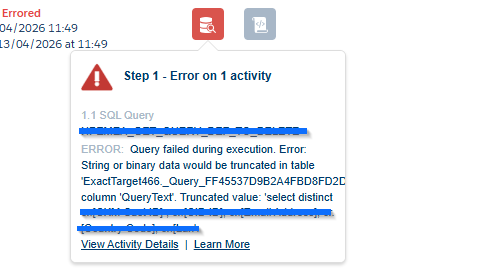
he way to force maximum length is to not provide the Length property at all when creating an attribute. However, Contact Builder won’t let you save an empty Length.
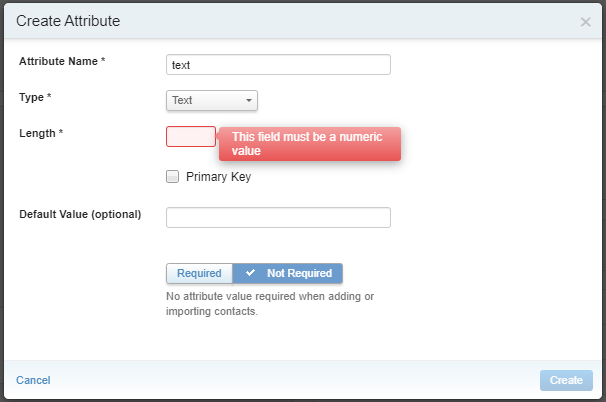
To work around this, use good old Email Studio. When adding fields to Data Extensions there, you can leave the Length empty for text fields or edit multiple fields at once.

This is useful when dealing with data that doesn’t fit into predefined limits, and helps avoid issues when values exceed the 4000-character restriction from Contact Builder.