Salesforce Marketing Cloud: Use Special Characters in Data Extension Folder Names
Normally, there wouldn’t be much reason for a folder name to contain special characters. But if you want a folder to always appear at the top whenever you open Contact Builder, the first thing you might try is adding a special character at the beginning of the folder name so the sorting does its thing.
Contact Builder won’t let you do that and gives you a nice error message instead.
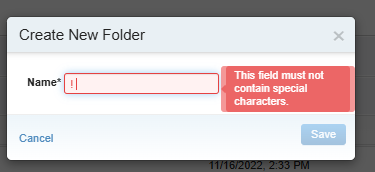
I swear this worked the last time. Is this another update I somehow missed?
Actually, then I remembered something I keep saying: always check the other tool for managing Data Extensions – the good old Email Studio.
When email studio does not work try contact builder or other way around

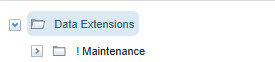
And surprise, surprise… Email Studio will happily let you create the folder with special characters in the name!
Share With Others
 Platinum