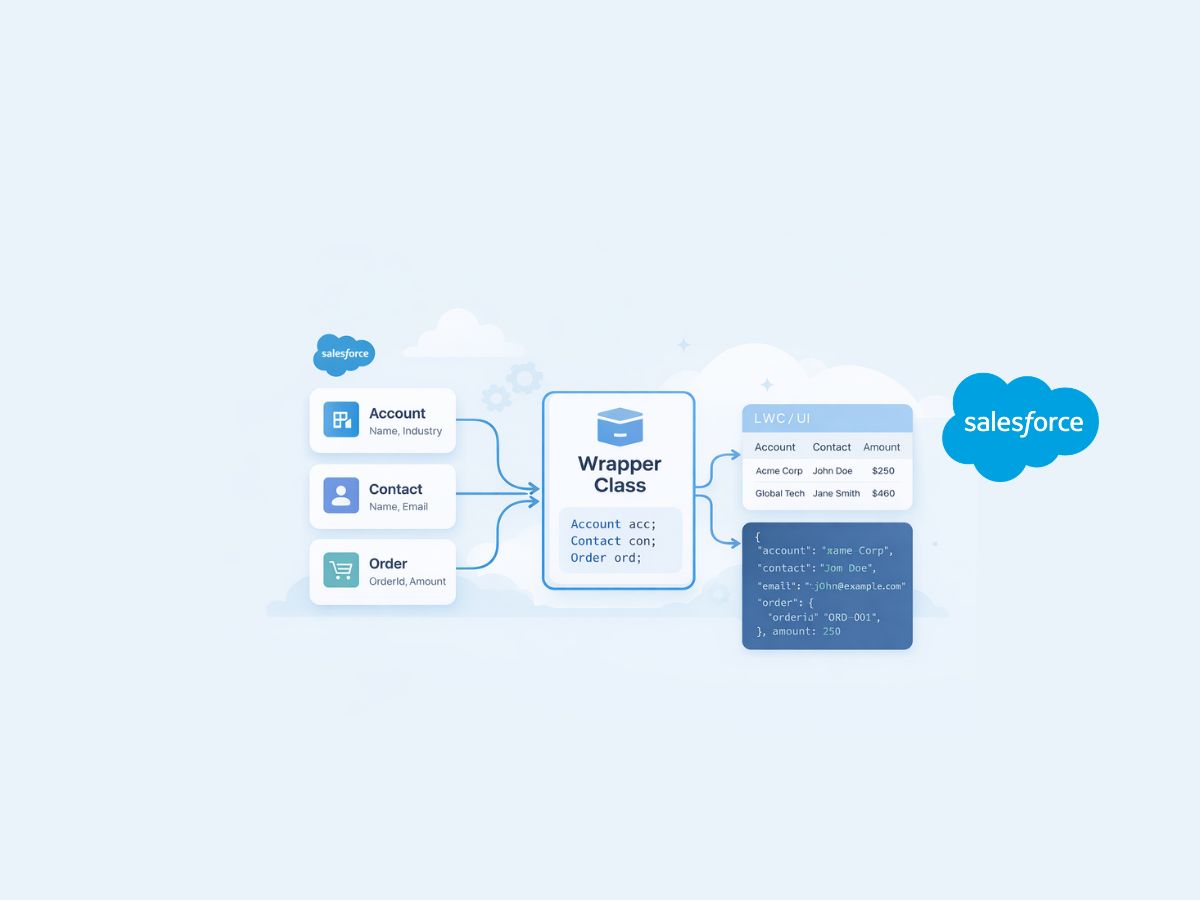

What Is a Wrapper Class in Salesforce?
You hit it the first time you build anything non-trivial in Apex: one query gives you Accounts, another gives you related Contacts, a third gives you a computed flag that is not a field, and now your controller needs to pass all of that to a Visualforce page or Lightning component as one tidy unit. That’s the moment a wrapper class in Salesforce stops sounding like an academic pattern and starts feeling like a practical survival tool.
At its core, a wrapper class is a custom Apex class that “wraps” multiple values (often a mix of sObjects, primitives, and calculated properties) into a single object you can work with cleanly.
Wrapper class meaning in Salesforce (plain-English definition)
A Salesforce wrapper class is a user-defined Apex class used to group different data types together, typically so your controller can send a single, structured object to the UI (or return it from a method) instead of juggling parallel lists and maps. This is especially useful when you need fields from multiple objects, plus additional non-database values like counts, UI flags, or derived labels. That practical definition and common use cases are laid out clearly in this explanation of wrapper classes in Salesforce.
What wrapper classes are (and are not)
Wrapper classes are:
- Custom Apex types you define yourself.
- Containers for “composite” data, like `Account + List + Boolean isSelected`.
- UI-friendly structures for Visualforce and Lightning patterns that need a single iterable list to render rows.
Wrapper classes are not:
- A Salesforce “object” you can query with SOQL.
- Something that automatically persists to the database.
- A replacement for good data modeling (they’re a presentation and transport convenience).
Why wrapper classes matter in real Salesforce development
Most Salesforce UI and controller patterns work best when your data is shaped like the page.
A classic scenario: you want a table where each row shows an Account, the number of open Opportunities, and a checkbox that indicates whether the user selected it. Only one of those values (Account) is a straightforward sObject. The checkbox state is purely UI, and the count might be computed. A wrapper class lets you combine all three in one row model.
That “row model” idea is a recurring theme in community explanations, including the practical scenario-driven description in this Stack Overflow discussion of wrapper classes and scenarios.
Common problems wrappers solve immediately
- Avoiding parallel lists: `List` plus `List` plus `List` is fragile because indexes drift.
- Reducing controller complexity: you return one list of wrappers instead of several structures.
- Supporting richer UI rows: UI often needs data that doesn’t exist in fields (labels, formatting hints, toggles, computed totals).
A practical Apex wrapper class example (pattern you’ll reuse)
A wrapper class generally has:
- Public properties for the values you want to carry.
- A constructor to populate those properties.
- Optional helper methods for computed logic.
Example pattern (simplified):
public class AccountRowWrapper {
  public Account acct { get; set; }
  public Integer openOppCount { get; set; }
  public Boolean isSelected { get; set; }
  public AccountRowWrapper(Account a, Integer cnt) {
    acct = a;
    openOppCount = cnt;
    isSelected = false;
  }
}
That shape is what makes wrappers so effective in controllers: you can build `List` and bind it directly to your page or component.
If you prefer seeing the same concept taught with step-by-step implementation notes and common UI patterns, the walkthrough on Apex Hours wrapper class guide is a solid reference.
Wrapper classes with Visualforce and Lightning: where they shine
Wrappers are especially valuable when your UI needs to render:
- A list of rows with mixed data types.
- Parent-child structures where each parent row includes a nested list.
- UI-only state (selected, expanded, disabled) that should not be written back to Salesforce.
A very common Visualforce use case is “table with checkboxes.” Each row needs the sObject plus an `isChecked` boolean. You can do that with wrappers cleanly and predictably rather than trying to infer selection from request parameters.
If you want a community-driven tutorial feel, including practical examples of using wrappers while learning Salesforce development, there’s a discussion thread that points to a “how to use wrapper class” tutorial at this Reddit post about using wrapper classes.
Testing Apex that uses wrapper classes (what trips people up)
Wrapper classes often live as inner classes inside controllers (for example, `MyController.MyWrapper`). That’s convenient for organization, but it can confuse test writers: how do you instantiate that wrapper in a test class?
The answer is: reference it with its fully qualified name, like `MyController.MyWrapper`, and make sure visibility allows access. The nuance of accessing a wrapper class from a test class is addressed directly in this Salesforce Stack Exchange thread on accessing wrapper classes in tests.
Practical test tips (based on common wrapper patterns)
- If the wrapper is only used to shape UI data, tests should focus on the method that builds the wrappers, not the wrapper itself.
- If wrapper fields are derived (counts, flags), assert the derived values explicitly.
- If the wrapper is an inner class, confirm it’s declared `public` (or at least accessible in your test context) so your test can compile.
Advanced use: wrappers for APIs and “PUT”-style updates
Sometimes wrappers aren’t just for UI. They can be used as request/response bodies in Apex integrations, especially when you need to deserialize JSON into a structured type, validate it, and then apply changes.
When you move into that territory, you may run into design questions like “How do I implement a custom put method for a wrapper?” That specific pattern and the considerations around implementing a PUT-like operation with a wrapper are discussed in this thread on implementing a custom put method for a wrapper class in Apex.
Practical guardrails: when to use wrapper classes (and when not to)
Wrapper classes are a great fit when:
- You’re preparing view models for Visualforce or Lightning.
- You need to combine multiple objects plus computed fields in one structure.
- You want to keep controller logic readable and reduce index-based bugs.
They’re a poor fit when:
- You’re trying to model long-term data storage (use custom objects or platform features instead).
- You can solve it with a single SOQL query returning the exact shape you need (for example, parent with child relationship queries), without extra computed state.
The best implementations treat wrappers as lightweight, purpose-built containers: small, readable, and designed around the screen or endpoint they serve.
Share With Others
 Platinum